
Home Lab Redesign pt. 2
In the last post, I discussed the hardware that I am using. In this post, I will dive into the network layout, but first I want to discuss the various ways to keep track of network information. Once you get your network setup, it will be hard to keep track of what service is at which IP address. A reverse proxy helps to solve some of these issues, but then if the proxy goes down you are stuck trying to find the IP address again.
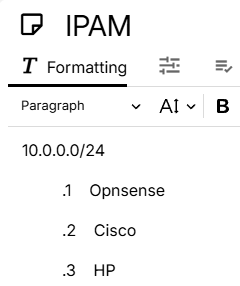
The first option that I used was just a pen and a piece of paper, it was actually a sticky note. I began to write the network address on the top and then the host addresses by the service name. This worked okay at first, but if I had any changes my sticky note would be covered in scribbles or I would have to start a new note and copy everything over to it. It didn't take me long to realize that this was not a good method. I then started a note in Trillium Notes that allowed me to make modifications without starting over.
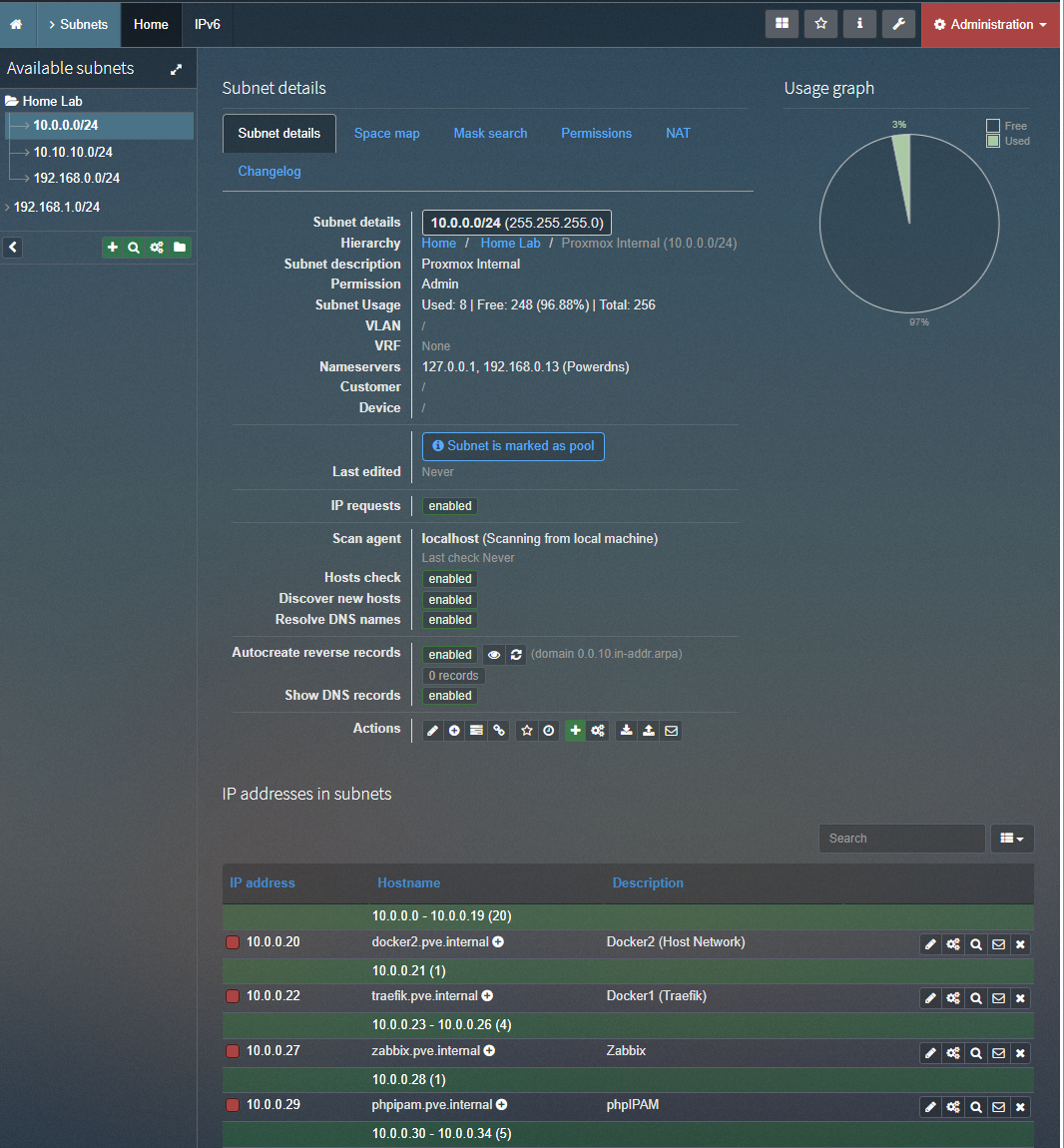
I wanted to familiarize myself with more tools so, I started using phpIPAM. It took me a few tries to get it setup at first, but once I got it I began to prefer it over my note. I can dynamically add IP addresses and monitors if they are still up. It can also query DNS servers to get the FQDN (Fully Qualified Domain Name) of services. It had a lot of things that I did not use such as different customers and locations, but it had a nice layout and made it easy to find the IP address of services. It was a large improvement over the sticky and digital notes.
The next option that I tried was Netbox. I thought that phpIPAM had a lot of features that I was not using, but Netbox has even more. It allows you to thoroughly document your network and networked devices. It has several different sections that breakdown into smaller sections. In the device section, it allows you to define manufacturers, device roles, type of device, and even the direction of airflow.
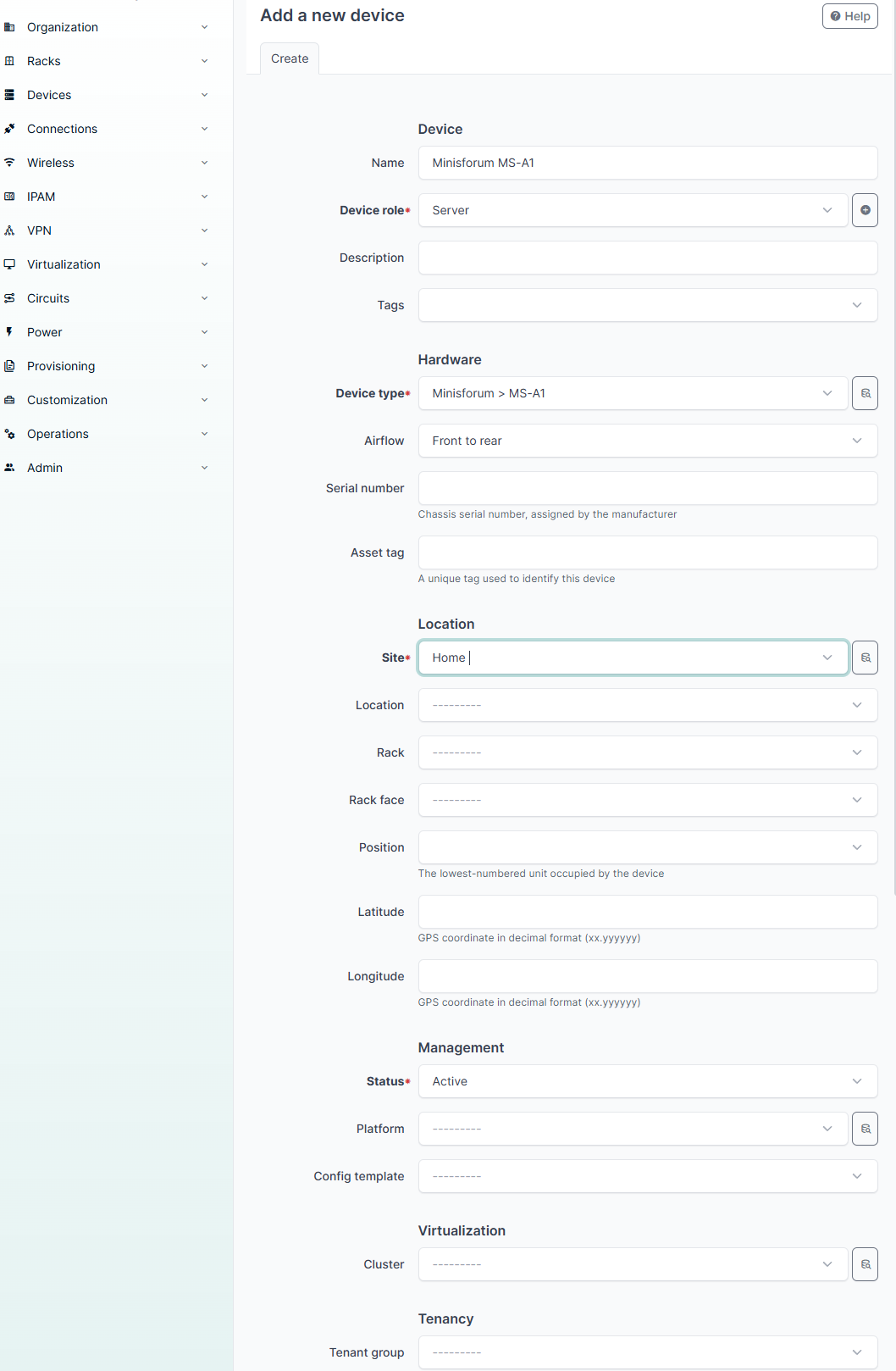
I have not thoroughly document my devices in Netbox yet, but am in the process of building out my documentation. I think that Netbox will not only help me to keep track of IP address, but also keep track of hardware and configurations. It allows me to document what port on my switches maps to which device and much more. I plan on using the inventory that I build out in Netbox to help me in the redesign process. I will admit that I have not used Netbox as much as phpIPAM, so I am not an expert. I do think that it does have potential though. I will probably make a different blog post to document Netbox once I figure out all the different features.
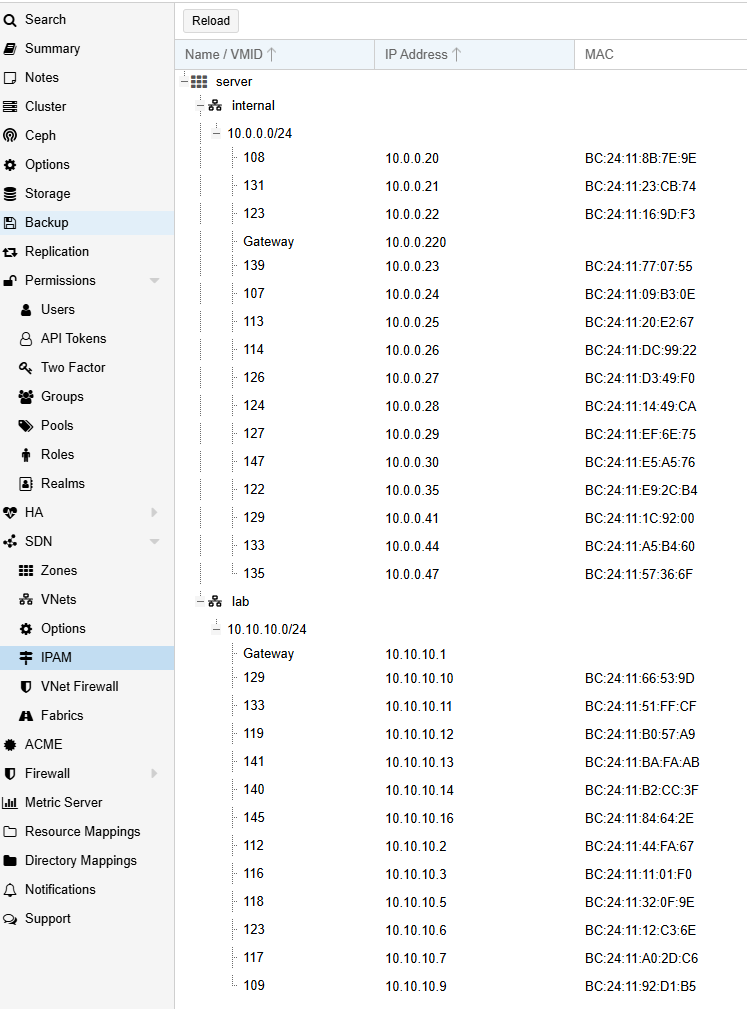
I am using Proxmox's IPAM for virtual machines currently running on Proxmox. At first, I liked this setup because all of the information was in Proxmox's Web UI, but I am going to migrate everything to the same place. There is a way to use Netbox as Proxmox's IPAM, but I have not gotten it to work yet. I have used phpIPAM as Proxmox's IPAM.
I am going to use Netbox to design my network. I am going to start at a high level. I only have one internet connection that connects to Opnsense. From Opnsense, I am going to split into two switches. The PoE+ switch will be used for my home network and the Cisco switch will be used for my home lab. The home network is going to be on the 192.168.0.0/24 and my home lab network will be 10.0.0.0/24. I am also going to add a virtual network to Proxmox that will be used to connect the vulnerable services like Metasploitable3 and Kali Linux. I was going to cut down to just one switch since I am currently only using 22 ports, but I decided to keep the switches and then I can create a SPAN port on the Cisco switch to capture traffic. This will allow me to ensure that my children aren't complaining because the IPS/IDS is slowing down the network and I won't capture a bunch of traffic from You tube or from the PlayStation.
I will use link aggregation and LACP to use two ports connecting the switches and Opnsense. I will also use LACP between the Cisco switch and Proxmox host. I have been using LACP to connect my Synology and Active Directory to my home lab network. If I still use this setup, I will need to allow some traffic to traverse the subnets. I want to have Active Directory and Synology access on both networks. I have been forwarding all traffic between the two subnets, so I will need to make a list of ports that are allowed to traverse the subnets. Instead of using bonded ports, I could split the connections up between the subnets. Then I would not need to forward traffic for these services. They would just use the proper interface to connect to either network. I think that with the level of traffic in my network LACP isn't really necessary.
In the next post, I will discuss installing and configuring Proxmox and begin detailing the different services that I am using. I am going to try to make a blog post for each service that I use. I will document the configurations and try to make it as repeatable of a process as I can. I have found Docker containers for most of the services and use Docker Compose to deploy them, so it should be a fairly easy copy, paste, compose up.